
Start with what changed. End with a decision on record.
The command centre opens each day with what happened, why it matters and what to do. Actions arrive as drafts for a named person to approve, and every decision lands in a brief and an audit log.
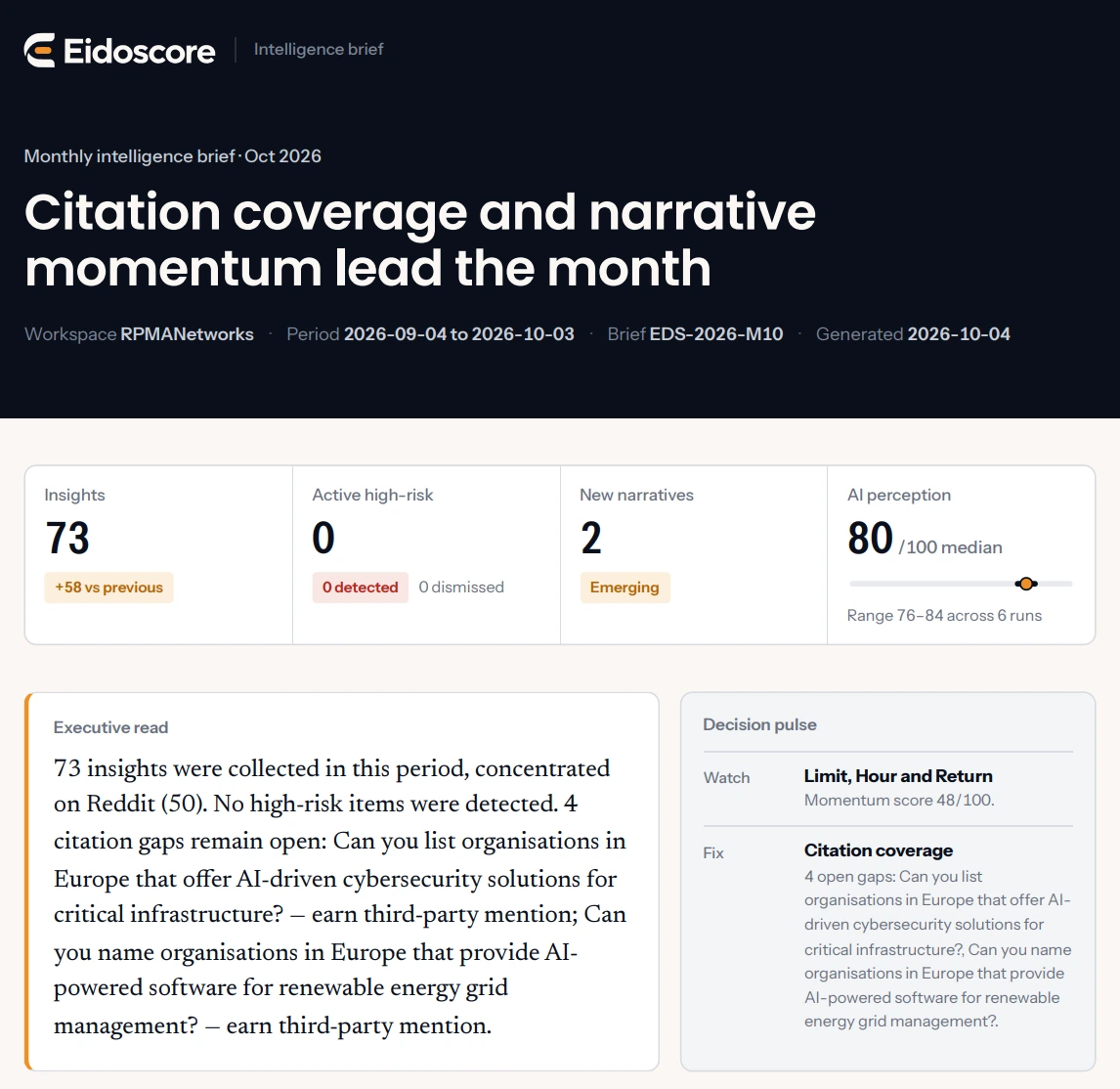
Eidoscore's command centre is the daily working view: a briefing written from the narratives, key figures with their change, a map of every narrative by risk and growth, and the decisions waiting. Recommended actions are drafts; nothing is published or sent without a named person approving it. A weekly brief every Monday at 06:00 and a monthly brief, both fixed once generated and exported as PDF or DOCX.

What happened, why it matters, what to do. In that order.
The briefing is written from the narratives, not the other way round. It names the decision the day needs and links straight to the drafts waiting for it.
- Severity, flag and the time left to decide
- Opportunities and risks side by side
- One click to the narrative or the drafts

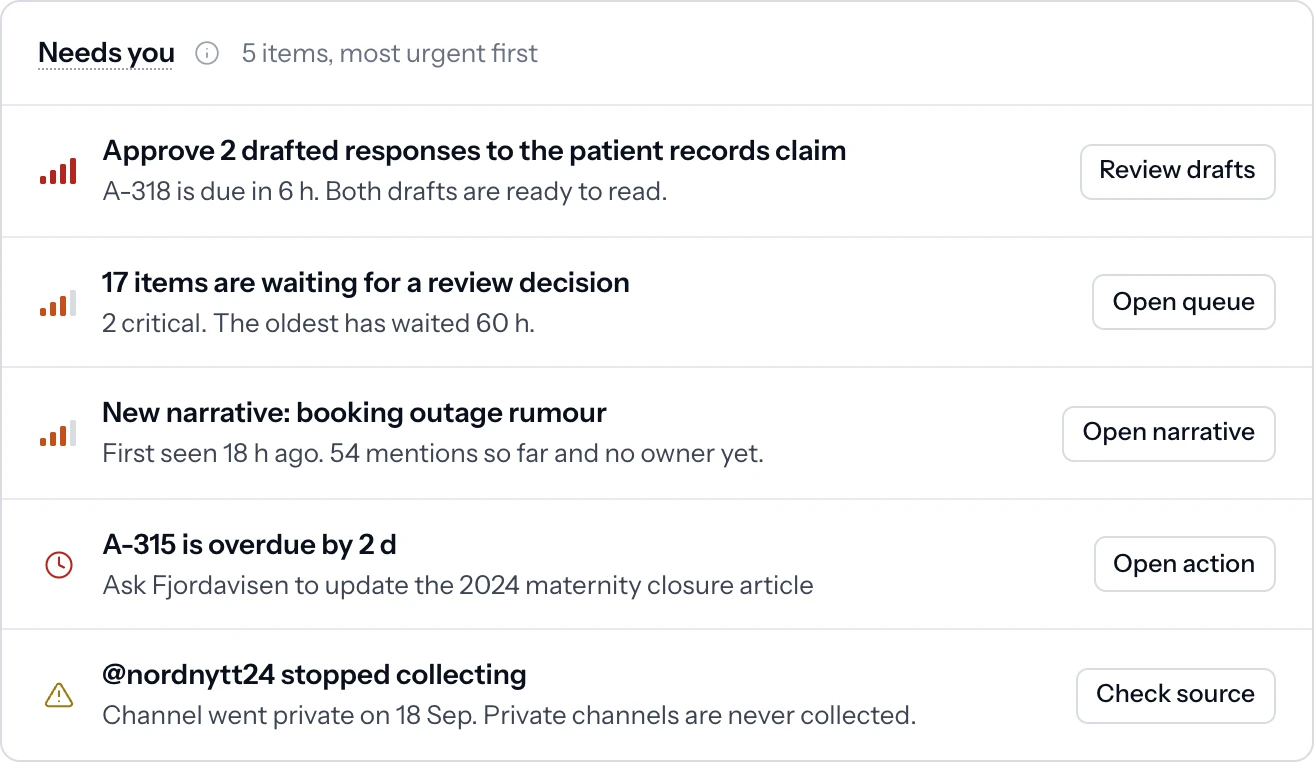
The decisions waiting, most urgent first.
A queue of what needs you, ranked by urgency, next to a list of what changed since yesterday: a claim raised to critical, a new narrative detected, an engine now repeating a claim.
- Drafts due, items waiting for review, narratives without an owner
- Changes since yesterday with their timestamps
- Sources that stopped collecting, flagged rather than missed
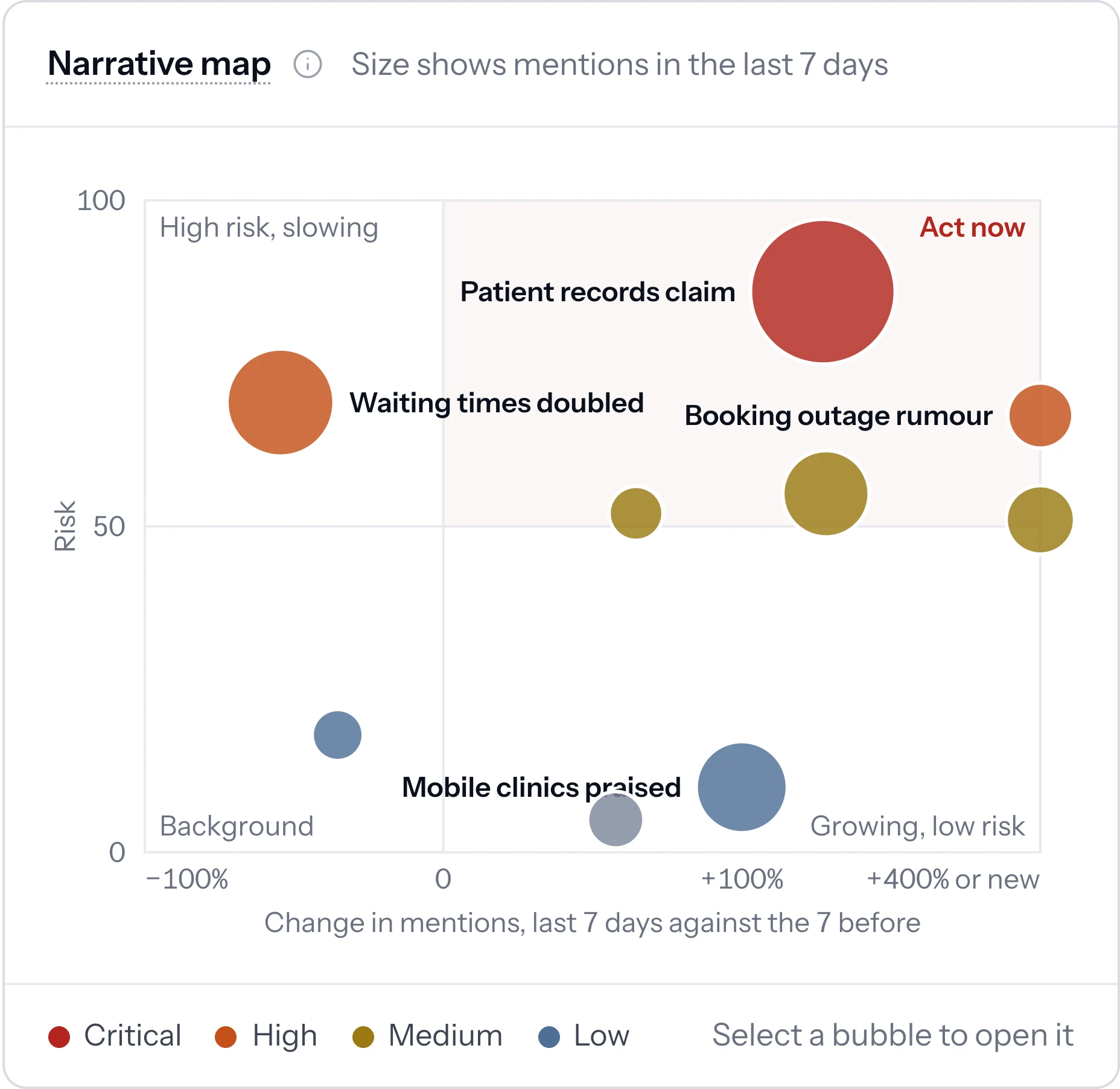
Every narrative on one map, by risk and growth.
Headline figures with their change against the previous period, and a map that places each narrative by how much risk it carries and how fast it is growing, so the one to act on is obvious.
- Mentions, active narratives, high or critical items, AI visibility as a range
- Items waiting for review and open actions, with the oldest marked
- Narratives sized by mentions in the last seven days
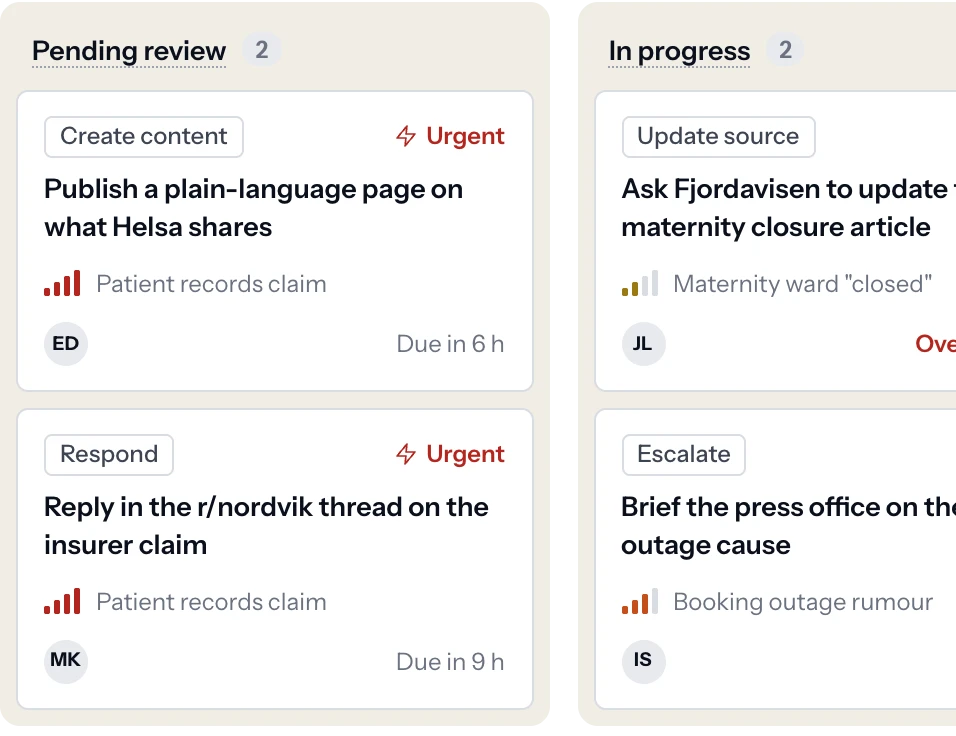
Every action is a draft until a named person approves it.
Create content, respond, update a source, earn a third-party mention, escalate or monitor. Each draft shows the evidence it was written from, its owner and its due date, and moves from pending review to published only on approval.
- Board or list, by owner and type
- Nothing is published or sent without approval
- Published actions report their effect on mentions
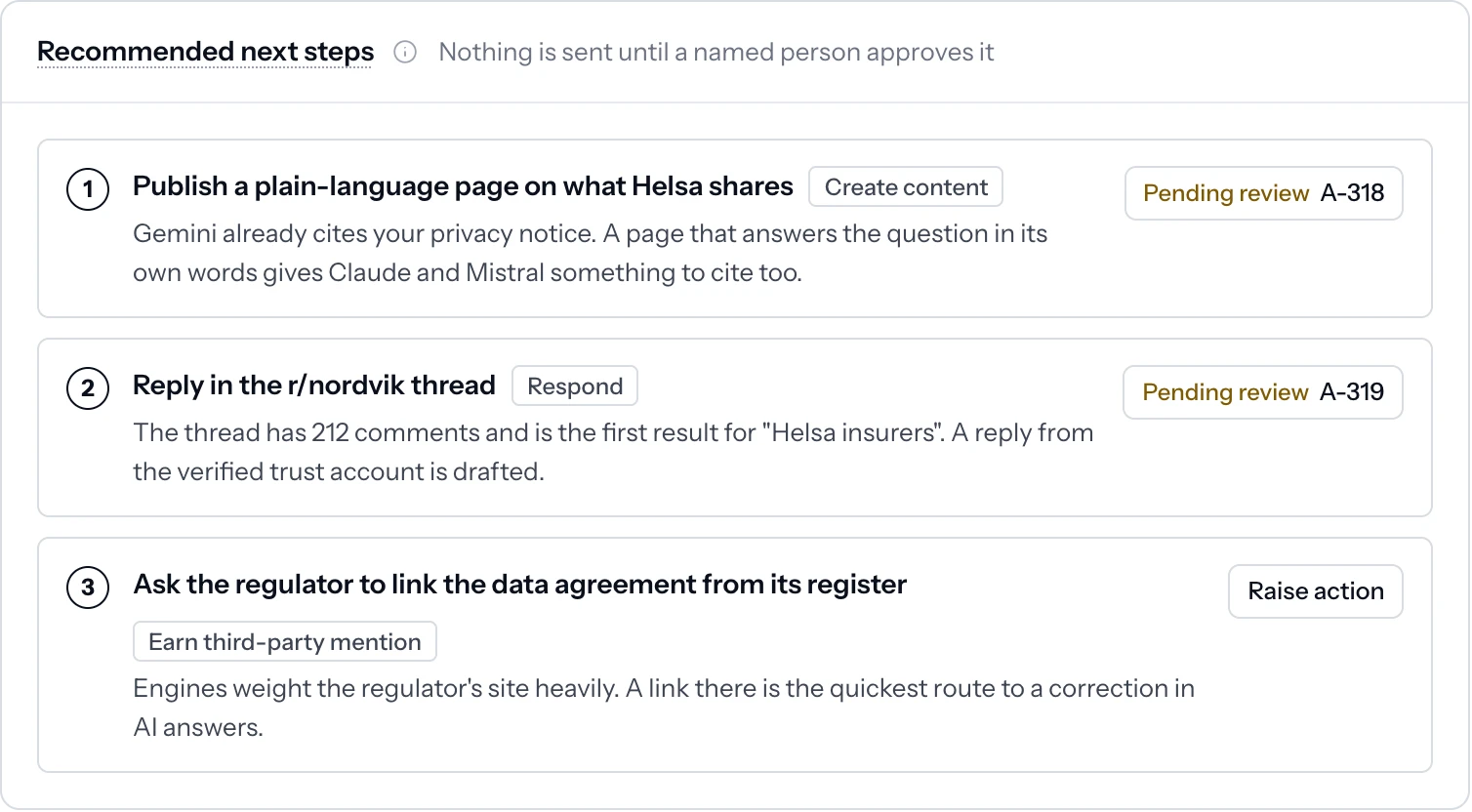
Each recommendation explains why it is suggested.
Recommended next steps arrive on the narrative itself, with the reasoning attached: which engine already cites what, which thread is the first result, which site the engines weight. Your team edits, approves or rejects.
- A reasoned paragraph under every recommendation
- Pending review, with its action reference
- Raise an action directly from the narrative
A fixed brief for leadership, every week and every month.
A weekly brief every Monday at 06:00 and a monthly brief, both fixed once generated and exported as PDF or DOCX. The version leadership read is the version on record, and every narrative in it links to its evidence.
- Decisions needed, high or critical items, new narratives, AI visibility as a range
- What needs a decision, with the recommended action
- Misinformation flags reviewed by an analyst before the brief is generated
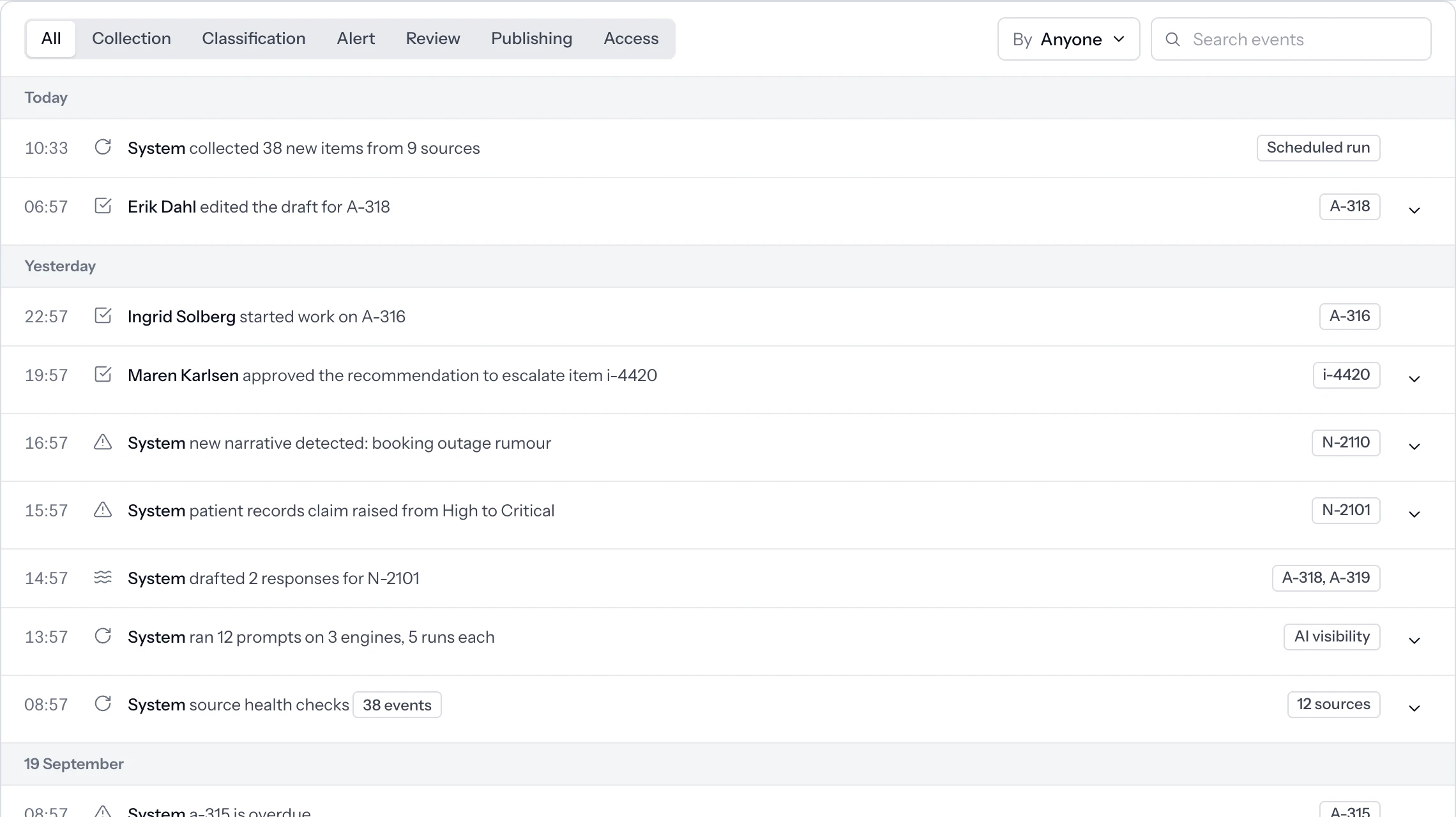
Who decided what, and when. It cannot be edited.
Approvals, rejections, edits and published actions are recorded with the person and the time. The log cannot be edited or deleted, so the answer to 'who approved this' is always on the record.
- Admin and reviewer roles per workspace
- Single sign-on and two-step verification
- Retention limits set per workspace
See a week of decisions, on your own narratives.
A working session in the workspace, then a sample brief built from it.